
Export Reports
LIME supports scan-level and issue-level exports. Use scan-level reports for audit review and use issue-level reports when one rule needs focused remediation.
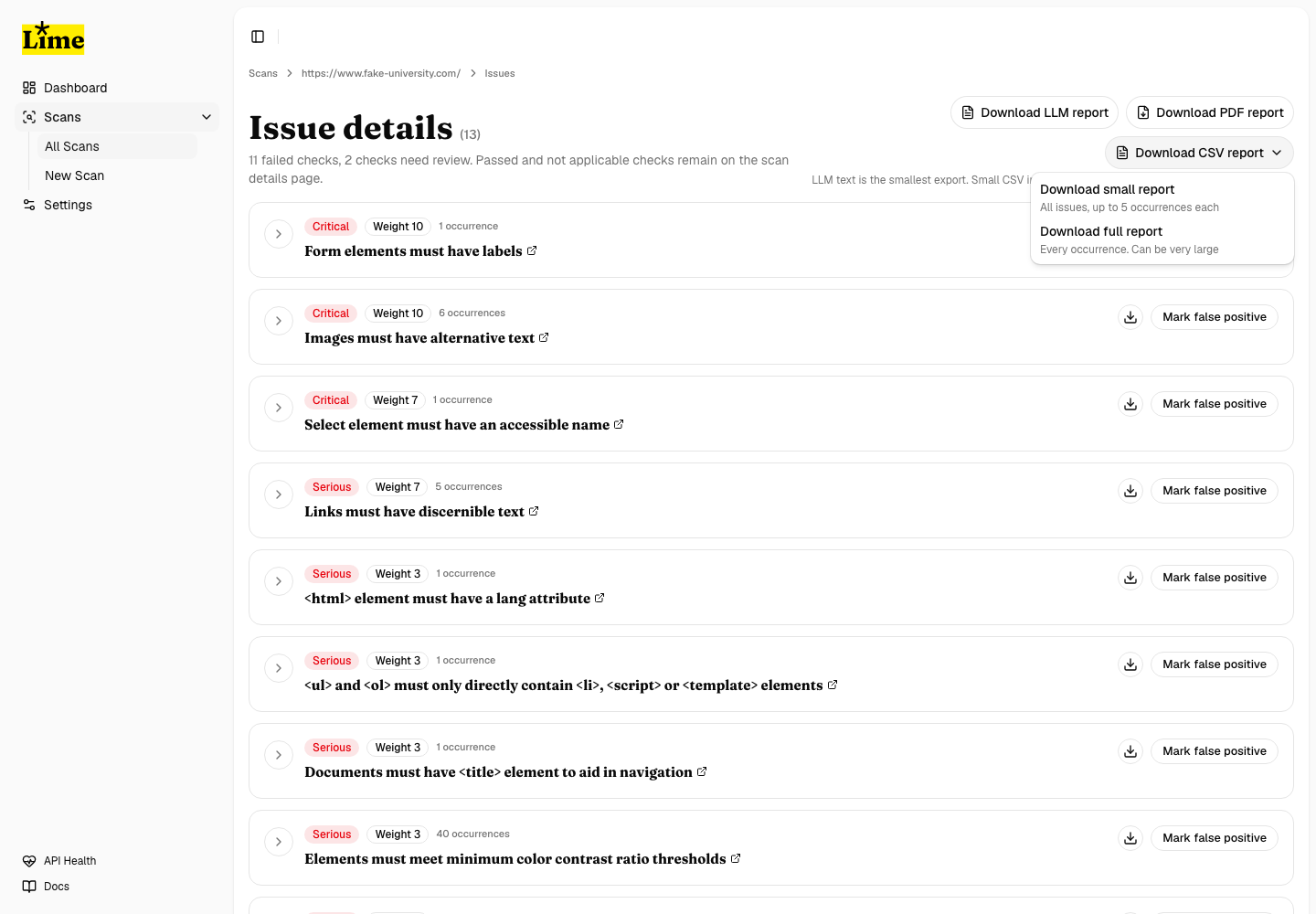
Choose a format
- PDF is for audit review. It includes issue summaries, affected URLs, screenshots, and bounded occurrence detail.
- Small CSV includes every issue but limits the number of occurrences per issue. Use this when spreadsheet size matters.
- Full CSV includes every listed occurrence and can become very large on big scans.
- LLM text is a compact structured export for AI-assisted review and remediation planning.
Download a scan-level report
- Open the issue page for a completed scan.
- Choose the report format near the top of the page.
- For CSV, choose Small report unless you explicitly need every occurrence.
- Keep the page open while a PDF is being prepared; LIME shows generation state for issue-specific PDFs.
Download an issue-specific report
- Find the issue group you want to share or remediate.
- Use the download icon on that issue card.
- Choose PDF, CSV, or LLM text for only that issue.
- Use issue-specific CSV when a single issue has thousands of occurrences.
Report limits
Server settings cap full PDF and issue-specific PDF occurrence detail so reports remain usable. CSV remains the source of truth when you need complete occurrence data.