
Review Issues And Screenshots
The issue page groups audit results by rule. It loads the issue list first and loads occurrence details only when you expand an issue, so large scans do not block the initial page load.
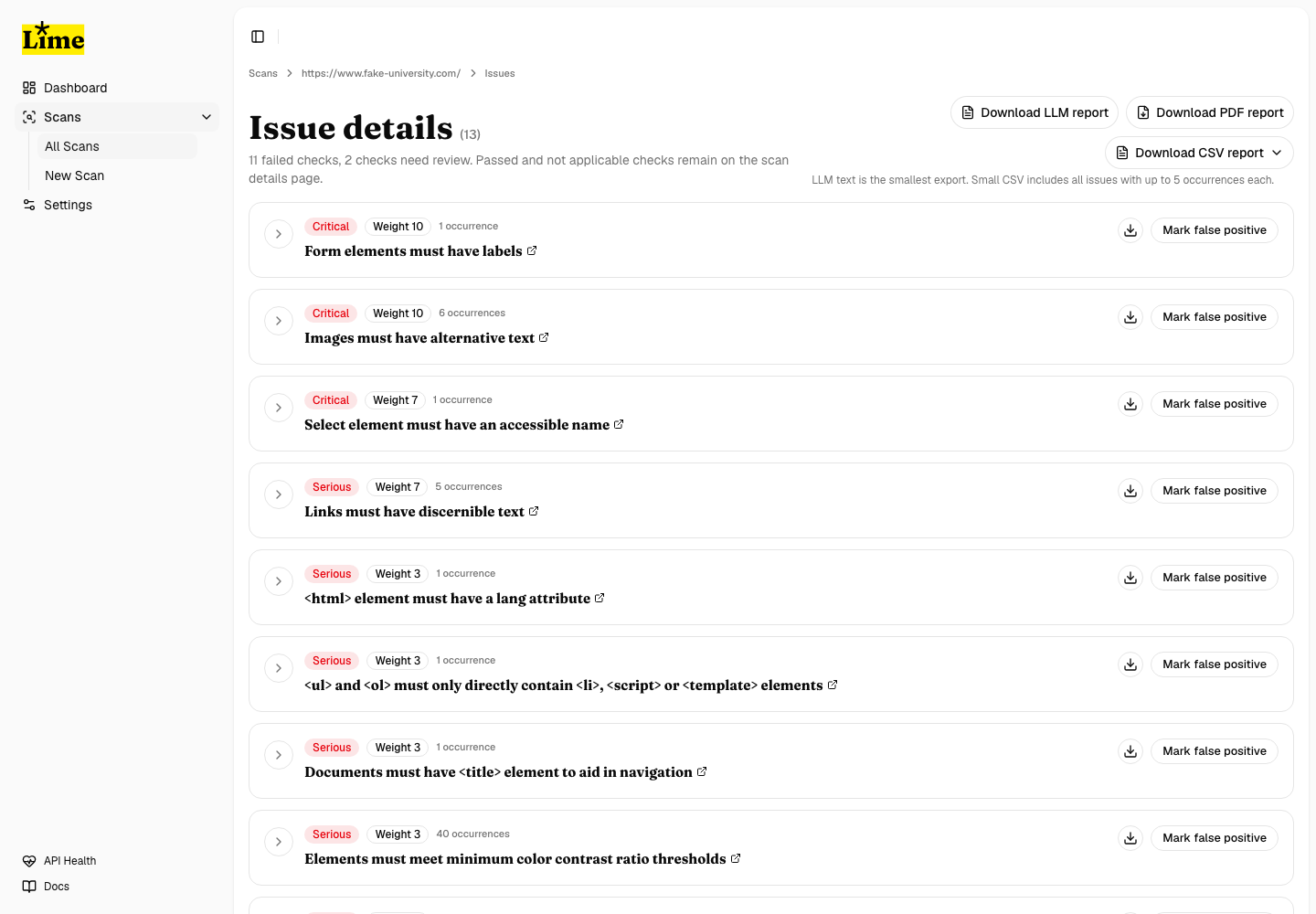
Triage issue groups
- Open Issues from a scan.
- Start with critical and serious failures.
- Check the occurrence count before expanding a group.
- Expand one issue group when you need selectors, HTML, screenshots, and affected URLs.
- Use issue-specific exports when one issue group is large enough to review separately.
Expand an issue
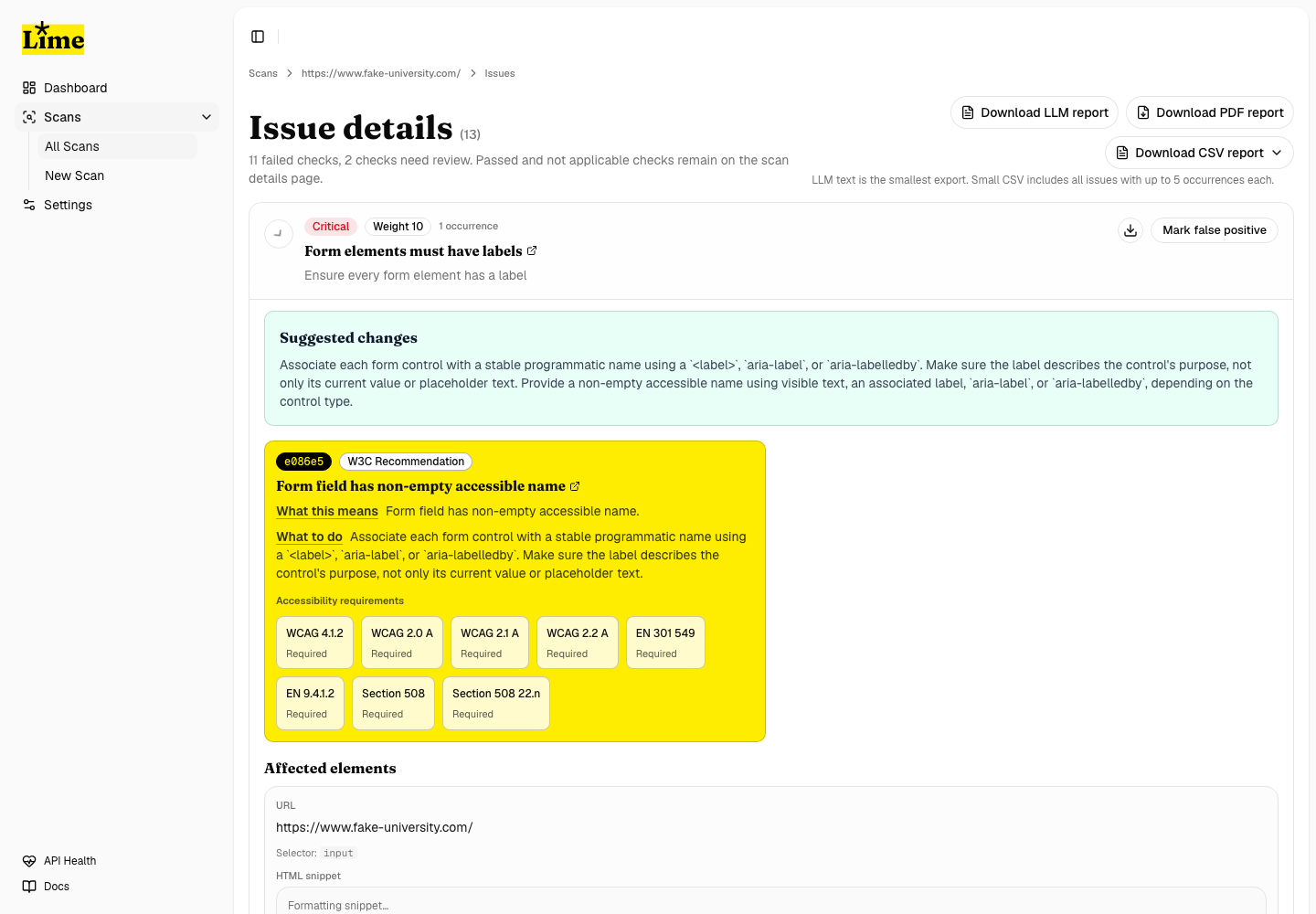
When you expand a card, LIME loads the details for that issue group. The expanded view includes affected URLs, CSS selectors, HTML snippets, screenshot evidence, ACT guidance where available, and occurrence paging.
Needs-review checks
Needs-review items are included in the UI and reports. These are axe incomplete outcomes that need human judgment instead of automatic failure. Review them alongside failures when you are preparing an accessibility remediation backlog.
Mark false positives
- Expand or inspect the issue group enough to confirm the finding.
- Use Mark false positive only when the issue should be excluded from scoring.
- LIME keeps the issue visible for audit history.
- Score summaries update after the false-positive state changes.