
Create Your First Scan
Use New Scan when you want LIME to audit a sitemap, sitemap index, or one specific page. A scan creates one durable scan record. Every URL, issue, screenshot, score, and export remains attached to that scan ID.
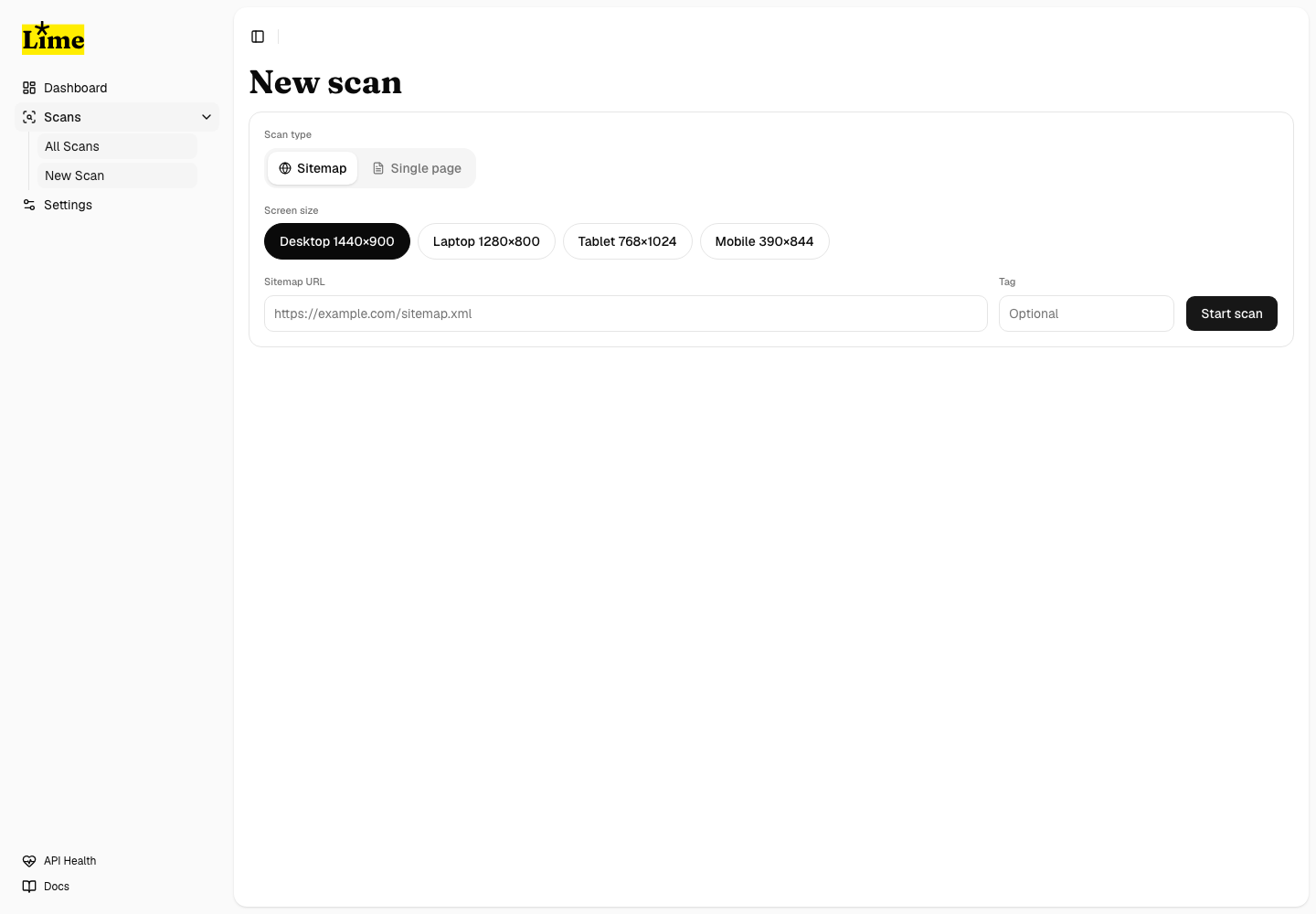
Before you start
- Make sure the target URL is public or reachable from the server running Shopkeeper.
- Use a sitemap URL when you want broad site coverage.
- Use a page URL when you want to verify one page or reproduce one issue quickly.
- Add a label or tag when you need to identify the environment, project, or release later.
Create the scan
- Open Scans from the dashboard sidebar.
- Select New Scan.
- Paste the sitemap URL or page URL.
- Choose the scan mode that matches the target.
- Submit the form.
- Stay on the scan detail page if you want to watch progress, or return to the dashboard later.
What LIME does next
- Shopkeeper creates the scan row and records the submitted target.
- Profiler expands and validates eligible URLs for sitemap scans.
- Browser workers visit eligible pages and run axe-core.
- Screenshots, selectors, HTML snippets, failed checks, and needs-review checks are persisted.
- Sweetner groups raw audit output into issue groups and occurrence rows.
- Score and report data become available as pages complete.
If the target redirects
LIME verifies collected URLs against the entered host before scanning. Off-host URLs are filtered out so a redirect or external link does not silently turn one scan into a scan of another domain.